When I was offered the secretary role on my HOA board, I declined. A year later I accepted, but with a condition: everyone had to be okay with having our meetings recorded going forward. Everyone agreed.
That single change transformed the job. Instead of trying to take detailed notes while participating in the meeting, I run a recorder, focus on the discussion, and feed the recording to an AI tool that produces a structured draft. I review it, make corrections, and send it. But the draft is only as good as the recording: it depends on voice samples, clearly stated motions, vote outcomes, and the structural moments of the meeting.
From Note-Taker to Recording Facilitator
When meetings are recorded, the secretary is no longer the only capture mechanism, and the role shifts: you are responsible for making the meeting recordable in a way that produces useful minutes. I think of this as being a recording facilitator. You don't narrate the whole meeting; you speak up at a few specific moments, and the rest of the time you participate like any other board member.
Before the Meeting: Room Setup and Equipment
We meet in a small library room. I bring a dedicated voice recorder and place it in the middle of the table, slightly closer to our property manager because he does a lot of the important talking. Phones can work, but a dedicated recorder did a noticeably better job of telling speakers apart in my testing.
A few things help immediately:
- Close windows and doors to noisy hallways.
- Try not to shuffle papers near the microphone.
- Mute phones so notifications do not interrupt the audio.
- Start recording before the meeting officially starts.
The Most Important 60 Seconds of the Meeting
Before the meeting is called to order, I turn on the recorder and say the following:
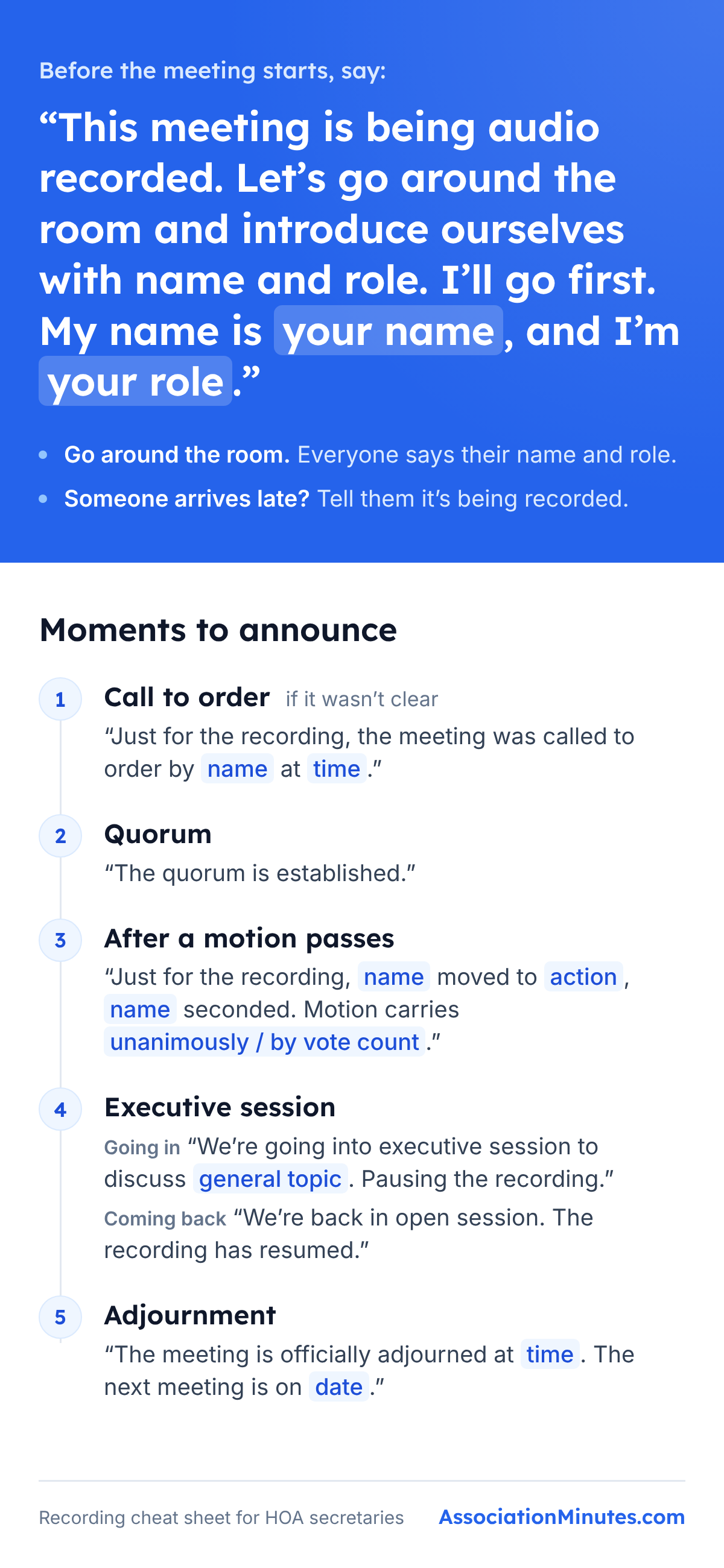
"This meeting is being audio recorded. Let's go around the room and introduce ourselves with name and role. I'll go first. My name is Dmitry Prokorym, and I'm the secretary."
Then we go around the room and every attendee does the same. The introductions are for the AI: they give it a moment where every voice says its own name, so it can match each speaker to a person. Without this ritual, the AI has to guess who is speaking based on voice characteristics alone. That means motions can be attributed to the wrong person, action items can be assigned to the wrong owner, and statements can be credited incorrectly.
The announcement makes sure nobody is recorded without knowing it. If someone arrives after the meeting has started, let them know it is being recorded, and keep the recorder in plain view on the table.
During the Meeting: When to Speak Up
Once the introductions are done, the meeting proceeds normally. Your job is to make sure the recording captures the structural moments cleanly.
1. Call to order, if it was not clear
If the chair says, "I'm calling this meeting to order at 7:02", you do not need to do anything. If they say something less clear, add: "Just for the recording, the meeting was called to order by [name] at [time]".
2. Quorum confirmation
After attendance is established, state explicitly: "The quorum is established". Quorum is a legal requirement for the meeting to be official.
3. Motions, seconds, and votes
After a motion passes, add a quick line: "Just for the recording, [name] moved to [action], [name] seconded. Motion carries [unanimously / by N to N]". For more on what these terms mean and how they fit together in a meeting, see Robert's Rules of Order for HOA Meetings: A Practical Subset.
4. Executive session
When the board goes into executive session, say so on the recording and then pause it: "We're going into executive session to discuss [general topic]. Pausing the recording". When the board comes back: "We're back in open session. The recording has resumed".
Executive session discussions are meant to stay private, so they should not end up on the recording. For what typically belongs in executive session, see the executive session section of the Robert's Rules guide.
5. Adjournment
At the end, close it out clearly: "The meeting is officially adjourned at [time]. The next meeting is on [date]".
Free Cheat Sheet (Save to Your Phone)
If you want a one-page reference you can pull up on your phone before each meeting, here's the cheat sheet with the opening script and the moments to announce:
After the Meeting: From Recording to Minutes
My workflow looks like this:
- Go to associationminutes.com and log in.
- Provide the basic meeting info: HOA name, location, date, time, and attendees.
- Upload the recording.
- Pay.
- Wait several minutes for the draft to be generated.
- Review it, make corrections, and send it to the board.
For more on what those minutes should include, see the HOA Meeting Minutes Template guide.
Additional Notes
Virtual and hybrid meetings
Most of this applies equally to Zoom, Teams, and similar platforms. The recording announcement should mention the platform, and hybrid meetings should be tested beforehand so you know whether the room recorder or platform recording produces better audio.
Recording laws
Recording laws vary by state. In one-party consent states, only one person in the conversation needs to consent. In all-party consent states, everyone being recorded must consent, but some of those laws apply only to private conversations or to recording done in secret. If your state requires everyone's consent, or your attorney recommends it, add "and I consent to being recorded" to each introduction.
I'm not a lawyer. This is my understanding of recording laws as of October 2026, not legal advice. Recording rules differ by state and can change, so check with your association's attorney before relying on it.
Try It at Your Next Meeting
The next time your board meets, try the recording announcement and the round of introductions. Even if you are not yet using AI to generate minutes, you will get cleaner audio that is easier to reference later.
About the author
Dmitry Prokorym is the secretary of his HOA in Illinois and the founder of AssociationMinutes. Connect on LinkedIn.
Have a recording ready?
Upload it and get draft minutes for review
First report $9.99 · Money back within 14 days, no questions asked.
Keep reading
HOA Meeting Minutes Template
Download a Word template and see what sections belong in HOA meeting minutes.
Robert's Rules for HOA Meetings
See how motions, votes, quorum, and executive session fit into a practical HOA meeting.
Phone vs. Voice Recorder for HOA Meetings
Compare a phone recording with a dedicated stereo recorder for AI-generated minutes.